

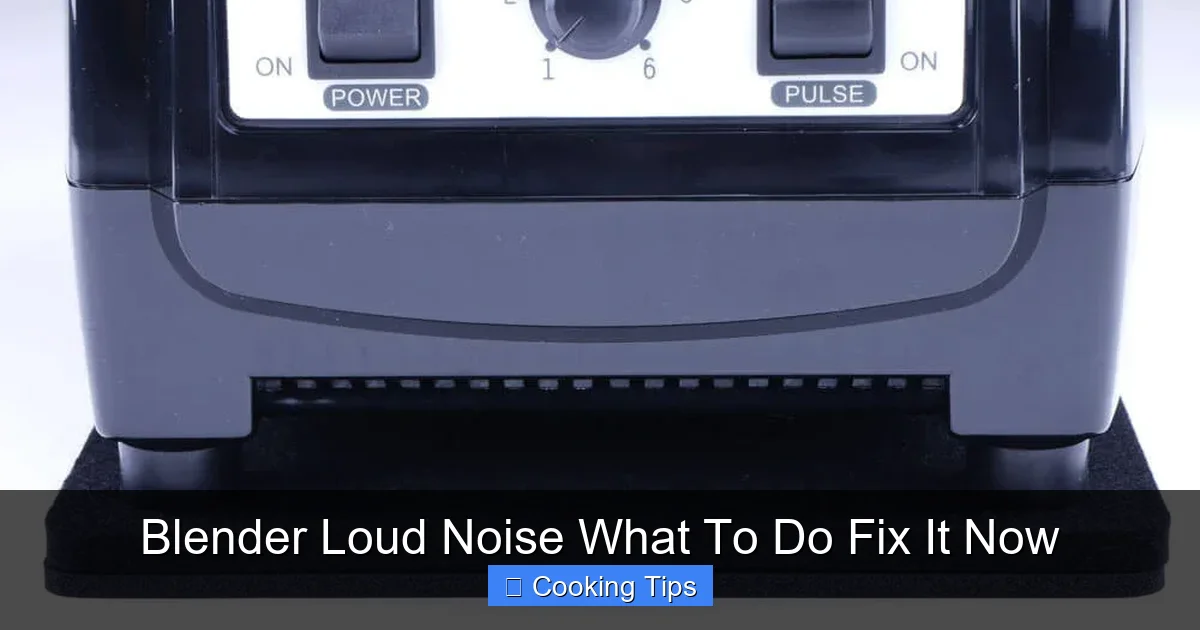
Is your blender suddenly sounding like a jet engine or making strange grinding noises? Don’t panic! This comprehensive guide will help you diagnose the cause of that loud or unusual blender noise and provide step-by-step solutions to fix it. From simple checks to more involved repairs, we’ll get your blender back to its quiet, efficient self.
Blender Loud Noise What To Do Fix It Now
A blender is a kitchen workhorse. It whips up smoothies, purees soups, crushes ice, and makes countless other culinary creations possible. But what happens when that familiar whirring sound turns into a jarring roar, a grinding shriek, or a concerning rattle? A blender making loud or unusual noises can be alarming, leading you to wonder if it’s about to give up the ghost.
Fear not! In this comprehensive guide, we’ll demystify those strange blender sounds. You’ll learn how to pinpoint the source of the noise, understand common culprits, and find practical solutions to get your blender running smoothly and quietly again. We’ll cover everything from simple checks you can do right now to more involved troubleshooting for those persistent squeaks and groans. Let’s dive in and silence that noisy blender!
Key Takeaways
- Identify the Source: Differentiating between motor noise, blade issues, or base problems is the first step to a solution.
- Check for Loose Parts: Ensure the jar, lid, and blade assembly are securely fastened before each use.
- Overloading is Key: Too much food or liquid can strain the motor and cause unusual noises.
- Blade Maintenance Matters: Dull or damaged blades can lead to increased noise and poor blending performance.
- Motor Issues Require Caution: While some motor problems are fixable, others may indicate a need for professional help or replacement.
- Proper Cleaning Prevents Problems: Regular cleaning, especially of the blade assembly, helps maintain smooth operation.
- Consult Your Manual: Your blender’s manual is an invaluable resource for specific troubleshooting steps.
Understanding Blender Noises: What Are You Hearing?
The first step to fixing a noisy blender is to become a good listener. Different sounds often point to different problems. Pay close attention to the type of noise your blender is making. Is it a:
- Grinding sound? This often indicates something is stuck or the blades are struggling.
- High-pitched squeal? This could be a motor bearing issue or something rubbing.
- Rattling sound? This might mean a loose part, either on the jar or the base.
- Loud humming or whining? This could be an overloaded motor or a failing motor.
- Clicking or knocking? This might signal something hitting the blades or a mechanical issue.
Once you have a general idea of the sound, you can start to narrow down the possibilities.
Step 1: The Obvious Checks – Before You Panic!
Sometimes, the simplest solutions are overlooked. Before you assume the worst, let’s run through a few basic checks.
Check Jar and Lid Security
This is the most common and easily fixable cause of loud blender noise. If the blender jar isn’t seated correctly on the base, or if the lid isn’t firmly in place, it can cause vibrations and rattling.
Visual guide about Blender Loud Noise What To Do Fix It Now
Image source: audiomav.com
- Turn off and unplug your blender. Safety first!
- Remove the blender jar from the motor base.
- Inspect the connection points on both the jar and the base for any debris or damage.
- Re-seat the jar firmly onto the motor base. You should feel it click or lock into place.
- Ensure the lid is securely attached to the jar. Some lids have a locking mechanism.
- Plug in the blender and test it with a small amount of liquid.
Inspect the Blade Assembly
The blade assembly is the heart of your blender. If it’s loose, damaged, or has something stuck in it, it can cause a lot of noise.
- Unplug the blender and remove the jar.
- Carefully invert the jar and inspect the blade assembly.
- Check for any food particles or foreign objects that might be caught around the blades. Use a brush or toothpick to dislodge them.
- Gently try to wiggle the blade assembly. It should be secure. If it spins freely and feels loose, this could be the problem.
- Examine the blades themselves for any nicks, bends, or signs of dullness.
Verify the Drive Socket and Coupling
The drive socket on the blender base and the coupling on the bottom of the blade assembly are what connect the motor to the blades. If these are worn or damaged, they can cause slipping and noise.
- Unplug the blender and remove the jar.
- Examine the drive socket on the motor base. It’s usually a metal or plastic piece that the blade assembly fits into. Check for wear, cracks, or missing teeth.
- Look at the coupling on the bottom of the blade assembly. This is often a plastic or rubber piece. Ensure it’s intact and not stripped.
- If either the socket or coupling appears damaged, it will likely need to be replaced. This is often a repair that can be done yourself or by a professional.
Step 2: Addressing Common Noise Culprits
If the basic checks don’t solve the problem, let’s dig a little deeper into the most frequent causes of loud and unusual blender noises.
The Overloaded Blender: Strain on the Motor
This is incredibly common. Trying to blend too much at once, especially with thick or frozen ingredients, puts immense strain on the motor. The motor has to work much harder, leading to a louder, strained humming or whining sound.

Visual guide about Blender Loud Noise What To Do Fix It Now
Image source: news.umiamihealth.org
What to do:
- Reduce the load: If your blender sounds strained, immediately turn it off and unplug it. Remove some of the ingredients from the jar.
- Blend in batches: For large quantities, divide the ingredients into smaller batches and blend them separately.
- Add enough liquid: Adequate liquid helps ingredients move freely around the blades, reducing motor strain. If you’re making a thick smoothie, try adding a bit more milk, water, or juice.
- Cut ingredients smaller: Larger, unchopped ingredients are harder for the blades to process. Cut fruits, vegetables, and ice into smaller, more manageable pieces.
- Follow manufacturer’s capacity limits: Most blender manuals specify maximum fill lines for liquids and solids. Adhering to these prevents overloading.
Dull or Damaged Blades: The Struggle is Real
Sharp blades cut efficiently. Dull blades tear and shred, requiring more power and leading to a rougher, noisier operation. Bent or chipped blades can also cause imbalance and create clanking or scraping sounds.
What to do:
- Inspect for dullness: Visually examine the edges of your blades. If they appear worn down or rounded, they are likely dull.
- Check for damage: Look for any chips, bends, or cracks in the blades.
- Sharpening (if applicable): Some blade assemblies can be sharpened, though this is less common for home blenders and often not recommended by manufacturers due to potential damage. Refer to your blender’s manual.
- Replace the blade assembly: If your blades are dull or damaged, the most effective solution is to replace the entire blade assembly. This is often a user-replaceable part. You can usually find replacements on the manufacturer’s website or through third-party retailers.
Motor Bearing Issues: The Squeal of Death?
The motor contains bearings that allow the motor shaft to spin smoothly. Over time, these bearings can wear out, dry up, or become damaged, leading to a high-pitched squealing or grinding sound, especially when the blender starts or stops.
What to do:
- Listen carefully: Is the squealing coming directly from the motor housing? Does it happen only when the motor is running?
- Check for leaks: Sometimes, lubrication for the bearings can leak.
- Motor bearing replacement is complex: Replacing motor bearings is generally not a DIY repair for the average user. It requires disassembling the motor housing, which can be dangerous if done incorrectly and may void your warranty.
- Consult your manual or professional repair: If you suspect motor bearing issues, check your warranty. If it’s expired, consider contacting the manufacturer for repair options or a certified appliance repair technician. In many cases, especially with older or less expensive blenders, it might be more cost-effective to replace the unit.
Loose Seals or Gaskets: The Whistling Bandit
The rubber or silicone seals and gaskets around the blade assembly and lid are crucial for preventing leaks and also contribute to a quieter operation. If these are worn, cracked, or not properly in place, air can escape, creating a whistling or hissing sound.
What to do:
- Inspect seals: After cleaning, carefully examine the rubber gasket around the blade assembly and the lid’s seal.
- Check for damage: Look for any tears, cracks, hardening, or signs of wear.
- Ensure proper seating: Make sure the gasket is seated correctly within its groove on the blade assembly.
- Replace worn seals: If a seal is damaged or worn, it should be replaced. Many manufacturers sell replacement gasket kits. This is a relatively simple fix.
Drive Coupling Wear: The Slipping Hazard
As mentioned earlier, the drive coupling connects the motor to the blades. If the plastic or rubber teeth on the coupling are worn down, they can slip against the motor shaft socket, causing a loud grinding or clicking noise. This means the motor is spinning, but the blades aren’t catching effectively.
What to do:
- Inspect both sides: Carefully examine the coupling on the bottom of the blade assembly and the corresponding socket on the motor base.
- Look for stripped teeth: The teeth should be sharp and intact. If they appear rounded, worn down, or broken, the coupling needs replacement.
- Replace the coupling: This is often a very straightforward repair. You can usually unscrew the old coupling from the blade assembly and screw on a new one. Ensure you get the correct part for your blender model.
Step 3: Advanced Troubleshooting and When to Call It Quits
If you’ve gone through the steps above and the noise persists, it’s time to consider more complex issues or whether it’s time for a new blender.
The Motor Itself: The Unpleasant Whine
Sometimes, the noise is directly related to the motor’s internal components beyond the bearings. This can manifest as a deep, strained whine or a loud hum that seems to emanate from the entire base unit. This usually indicates the motor is failing.
Visual guide about Blender Loud Noise What To Do Fix It Now
Image source: i.ytimg.com
What to do:
- Isolate the sound: Try to confirm the noise is definitely from the motor.
- Consider the age of the blender: Motors have a lifespan. If your blender is several years old and has been used frequently, motor failure is a real possibility.
- Cost of repair vs. replacement: Motor repairs are often expensive and may not be economically viable for most home blenders. Check your warranty. If it’s out of warranty, weigh the cost of a professional motor repair against the price of a new blender.
- Safety first: If you suspect a motor issue, especially if you smell burning or see smoke, unplug the blender immediately and do not use it.
Loose Internal Components: The Mysterious Rattle
Less commonly, a component inside the motor housing or the blender base might have come loose. This can cause a rattling sound as the blender operates.
What to do:
- This is generally not user-serviceable: Attempting to open the motor housing to fix loose internal components can be dangerous and void your warranty.
- Professional help: If you suspect this, your best bet is to take it to a qualified appliance repair technician or contact the manufacturer.
- Evaluate cost: Again, consider the cost of repair versus replacement.
When to Consider Replacing Your Blender
Not all blender noises are fixable, or at least, not economically fixable. Here are some signs it might be time to retire your noisy appliance and invest in a new one:
- Persistent, loud grinding or whining even after checking all external parts.
- Smell of burning plastic or electrical components.
- The blender leaks significantly, even with new seals.
- Visible damage to the motor housing or base.
- The cost of repair significantly exceeds the cost of a new blender.
- The blender is old and has seen extensive use, suggesting general wear and tear.
A new blender can be an exciting upgrade, offering improved features and quieter operation!
Preventing Future Blender Noises
Once you’ve got your blender running smoothly again (or if you’re buying a new one!), a little preventative maintenance can go a long way in keeping it quiet and functional.
- Always follow manufacturer’s instructions for use and cleaning.
- Never overfill the blender jar.
- Cut ingredients into manageable pieces before blending.
- Ensure the jar, lid, and blade assembly are securely in place before operating.
- Clean the blender thoroughly after each use, paying attention to the blade assembly and seals.
- Store your blender properly to avoid dust and damage.
By following these tips, you can extend the life of your blender and minimize those annoying, loud noises. Enjoy your perfectly blended creations!
