

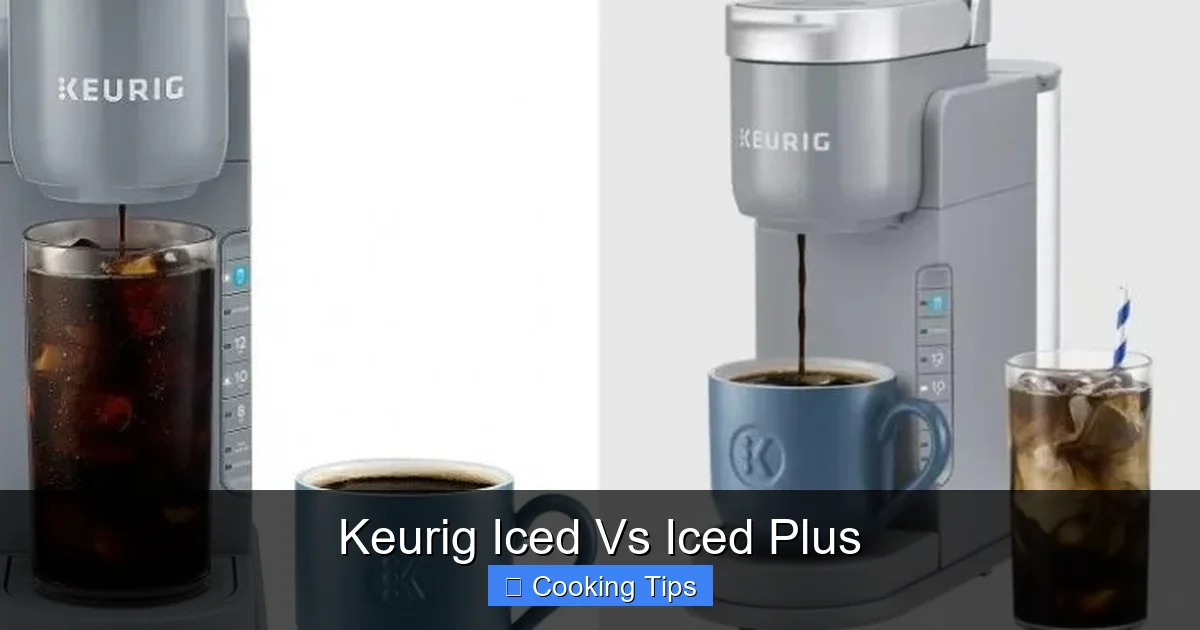
Confused about Keurig’s iced coffee options? This guide breaks down the differences between the standard “Iced” function and the “Iced Plus” feature on select Keurig models. Learn how each works, explore the benefits, and get tips for brewing delicious iced beverages. Whether you’re a seasoned iced coffee lover or new to Keurig, you’ll discover how to get the most out of your brewer for refreshing, cold drinks.
# Keurig Iced Vs Iced Plus: Your Ultimate Guide to Cold Brewed Bliss
Keurig machines have revolutionized home coffee brewing, offering speed, convenience, and a wide variety of beverage options. But when it comes to enjoying a refreshing cold drink, you might have noticed different settings or features on your Keurig. Two terms that often come up are “Iced” and “Iced Plus.” What’s the difference, and how can you use them to craft the perfect iced coffee or other cold beverages?
This comprehensive guide will demystify Keurig’s iced coffee brewing. We’ll dive deep into what the “Iced” setting does, explore what “Iced Plus” might entail on newer models, and provide step-by-step instructions to help you brew delicious iced drinks every time. Whether you’re a dedicated iced coffee enthusiast or just looking to beat the heat with a cold brew, this guide is for you. Let’s get started!
## Understanding the Basics: How Keurig Brews for Iced Drinks
Before we compare “Iced” and “Iced Plus,” it’s important to understand the fundamental challenge of brewing hot coffee to be enjoyed cold. If you simply brew a hot cup of coffee and pour it over ice, the ice melts rapidly, diluting your drink and creating a watery, less flavorful result. Keurig’s iced brewing functions are designed to combat this.
The core principle behind Keurig’s “Iced” setting is to brew a *concentrated* hot beverage. By brewing a smaller amount of hot coffee, the flavor is more intense. When this concentrated brew is poured over a full glass of ice, the melting ice dilutes the coffee down to the desired strength, preserving more of its original flavor.
## The “Iced” Setting: Your Go-To for Simple Iced Coffee
Most Keurig models that offer an iced brewing capability come equipped with a dedicated “Iced” button or setting. This is your straightforward solution for making iced coffee.
### How the “Iced” Setting Works
When you select the “Iced” setting, your Keurig brewer adjusts its brewing process in a couple of key ways:
* **Brew Size:** The machine typically defaults to a smaller brew size (often 6oz or 8oz). This is crucial for creating that concentrated coffee.
* **Brew Temperature (Minor Adjustment): While it still brews hot water, some models may slightly reduce the brewing temperature. This helps prevent over-extraction, which can lead to bitterness when the coffee is diluted. However, the primary goal is concentration.
The idea is that you fill your mug or travel tumbler with ice *before* brewing. Then, you select your favorite K-Cup pod, choose the “Iced” setting, and let the machine do its magic. The hot, concentrated coffee flows directly onto the ice, chilling rapidly and mixing as the ice melts.
### Steps to Brew with the “Iced” Setting
Making iced coffee with the “Iced” setting is incredibly simple. Follow these steps:
1. **Fill Your Container with Ice:** This is the most critical first step. Use plenty of ice. A full glass or travel mug is ideal. The more ice you have, the less it will melt and dilute your coffee, and the colder your drink will stay.
2. **Insert Your K-Cup Pod:** Choose your favorite coffee K-Cup. While any coffee will work, some blends are particularly well-suited for iced coffee due to their roast profile or flavor notes.
3. **Select the “Iced” Brew Size:** Look for the “Iced” button or option on your Keurig’s control panel. If there isn’t a dedicated button, you’ll usually select the smallest brew size available (e.g., 6oz) when you initiate the brew. Consult your Keurig’s manual if you’re unsure.
4. **Start Brewing:** Press the brew button. The machine will brew a smaller, hotter, and more concentrated coffee directly over your ice.
5. **Stir and Enjoy:** Once brewing is complete, give your iced coffee a good stir to ensure it’s well-mixed and chilled. You can then add milk, cream, sugar, or other sweeteners to your preference.
### Tips for Using the “Iced” Setting Effectively
* **Ice Quality Matters:** Use good quality ice cubes. Large, dense cubes melt slower than small, crushed ice, meaning less dilution and a colder drink for longer.
* **Experiment with Coffee Blends:** Darker roasts often hold up well to dilution and can create a richer iced coffee flavor. Light and medium roasts can also be delicious, offering different flavor profiles.
* **Don’t Overfill with Ice:** While you want plenty of ice, ensure there’s enough room for the brewed coffee.
* **Additions After Brewing:** Always add milk, cream, or sweeteners *after* the coffee has been brewed and mixed with the ice. Adding them during the brew can interfere with the process or make them harder to mix.
## “Iced Plus”: What Does It Mean?
The term “Iced Plus” is not a universally standardized Keurig feature. Instead, it generally refers to more advanced iced beverage capabilities found on select, often newer or higher-end, Keurig models. Think of it as an evolution of the basic “Iced” function, offering more customization and versatility.
### Potential Features of “Iced Plus”
If your Keurig model has an “Iced Plus” or similar advanced iced brewing feature, it might include one or more of the following:
* **Pre-programmed Iced Coffee/Tea Settings:** Instead of just an “Iced” button, you might have specific buttons for “Iced Coffee,” “Iced Tea,” or even “Cold Brew.” These settings are optimized for those specific beverage types.
* **Adjustable Brew Strength:** Some machines allow you to control the strength of your brew more precisely, even when brewing for iced drinks. This gives you greater control over the concentration.
* **Larger Brew Sizes for Iced Drinks:** While the basic “Iced” setting focuses on concentration with a smaller brew, some “Iced Plus” features might allow you to brew larger volumes of concentrated coffee suitable for bigger iced beverages.
* **Cold Brew Functionality:** Some top-tier Keurig models are starting to offer dedicated “Cold Brew” settings, which utilize a completely different brewing method (often a longer, lower-temperature process) to mimic traditional cold brew coffee. This is distinct from simply brewing hot coffee over ice.
* **Temperature Control:** Less common for iced drinks, but some advanced machines might offer some level of temperature adjustment, which can indirectly affect how well the brew mixes with ice.
* **Specific Iced Tea Brewing:** Keurig has also introduced K-Cup pods specifically designed for iced tea. “Iced Plus” features might be optimized to work with these pods for a better iced tea experience.
### How to Identify and Use “Iced Plus” on Your Keurig
The best way to understand the “Iced Plus” capabilities of your machine is to consult your Keurig’s user manual. Look for terms like “Iced Beverage,” “Specialty Brews,” or specific icons related to cold drinks.
If you have a model with “Iced Plus” features, here’s a general approach to using them:
1. **Identify the Specific Iced Setting:** Familiarize yourself with the buttons or menu options on your Keurig. Is there a dedicated “Iced Coffee” button? An “Iced Tea” setting? A “Cold Brew” option?
2. **Choose the Right K-Cup:** For optimal results, use K-Cup pods recommended for iced beverages or specific to the setting you’re using (e.g., iced tea K-Cups for the iced tea setting).
3. **Prepare Your Ice:** As with the standard “Iced” setting, fill your mug or travel tumbler with ice *before* brewing. The amount of ice might vary depending on the brew size recommended for the specific “Iced Plus” setting.
4. **Select Your Brew Size and Strength (If Applicable):** If your machine offers adjustable brew sizes or strengths for iced drinks, choose them according to your preference and the instructions for that setting.
5. **Brew:** Start the brewing process.
6. **Stir and Customize:** Stir your beverage and add any desired additions.
## Comparing “Iced” and “Iced Plus”
| Feature | Standard “Iced” Setting | “Iced Plus” (Advanced Feature) |
| :—————- | :—————————————————- | :—————————————————————- |
| **Primary Goal** | Brew concentrated hot coffee to pour over ice. | Offer optimized, potentially multi-stage, brewing for various cold drinks. |
| **Complexity** | Simple, one-step process. | Can involve multiple steps or specific menu selections. |
| **Versatility** | Primarily for iced coffee. | Can be for iced coffee, iced tea, cold brew, and more. |
| **Customization** | Limited to K-Cup choice and brew size. | May include adjustable strength, brew size options, specific presets. |
| **Machine Type** | Common on many Keurig models. | Typically found on newer, higher-end Keurig models. |
| **Brewing Method**| Brews hot, concentrated coffee. | Can brew hot, concentrated coffee, or employ specialized cold brew methods. |
## Brewing More Than Just Iced Coffee
The beauty of Keurig’s iced brewing capabilities, especially with “Iced Plus” features, is that they open the door to a wider range of refreshing beverages.
### Iced Tea on Your Keurig
Many Keurig models, especially those with “Iced Plus” features, can brew a fantastic iced tea.
1. **Use Iced Tea K-Cups:** Look for K-Cup pods specifically designed for brewing iced tea. These often contain real tea leaves.
2. **Fill with Ice:** Just like with coffee, fill your mug with ice.
3. **Select the “Iced” or “Iced Tea” Setting:** Choose the appropriate setting on your Keurig.
4. **Brew:** Let the machine brew directly over the ice.
5. **Customize:** Add lemon, sugar, or other flavorings as desired.
### Cold Brew on Select Keurigs
Some of the newest and most advanced Keurig machines offer a true cold brew function. This is different from brewing hot coffee over ice. Traditional cold brew involves steeping coffee grounds in cold water for an extended period (12-24 hours). Keurig’s cold brew feature aims to replicate this process more quickly and conveniently.
If your Keurig has a “Cold Brew” setting:
1. **Follow Machine Instructions:** These machines often have specific instructions, which may involve using a special pod or a different method of adding water and grounds.
2. **Allow for Brewing Time:** Cold brew takes longer than a standard hot brew.
3. **Serve Over Ice:** Once brewed, serve your cold brew over ice, and add your favorite accompaniments.
## Troubleshooting Common Iced Brewing Issues
Even with the convenience of Keurig, you might encounter a few hiccups. Here’s how to fix them:
* **Iced Coffee is Too Watery:**
* **Cause:** Not enough ice, or ice melted too quickly.
* **Solution:** Use more ice. Try larger, denser ice cubes that melt slower. Ensure you’re using the “Iced” setting (or the correct “Iced Plus” setting) to brew a concentrated coffee.
* **Iced Coffee Tastes Weak or Bland:**
* **Cause:** Incorrect brew size selected, or the K-Cup pod isn’t suited for iced coffee.
* **Solution:** Double-check that you selected the “Iced” brew size if using that setting. Try a different coffee K-Cup, perhaps a darker roast. If using “Iced Plus,” ensure you’ve selected the correct beverage type and strength.
* **Iced Tea Tastes Burnt or Bitter:**
* **Cause:** Using regular coffee K-Cups for tea, or the machine is brewing too hot for tea.
* **Solution:** Always use K-Cup pods specifically designed for iced tea. If using “Iced Plus,” ensure you’ve selected the “Iced Tea” setting.
* **Machine Not Brewing Cold Beverages Correctly:**
* **Cause:** A potential issue with the machine’s internal settings or a need for descaling.
* **Solution:** Consult your Keurig’s manual for how to reset specific brewing functions. Regularly descale your Keurig according to the manufacturer’s instructions to ensure optimal performance.
## Conclusion: Brew Your Perfect Cold Drink
Keurig’s “Iced” and “Iced Plus” features offer fantastic ways to enjoy cold beverages right from your countertop. The standard “Iced” setting provides a simple and effective method for brewing concentrated hot coffee over ice, ensuring a flavorful iced coffee without the dilution woes. For those with newer or more advanced Keurig models, “Iced Plus” unlocks a world of possibilities, offering specialized settings for iced tea, potentially cold brew, and greater control over your brewing experience.
By understanding how these settings work and following the simple steps outlined in this guide, you can consistently brew delicious, refreshing iced coffees, teas, and more. So, grab your favorite K-Cup, a glass full of ice, and get ready to experience the cool convenience of Keurig’s iced brewing technology!
Key Takeaways
- Understanding the Core Difference: The primary distinction lies in how each setting brews – “Iced” brews a concentrated hot coffee over ice, while “Iced Plus” may offer more advanced features like specific temperature control or larger brew sizes for iced drinks.
- “Iced” Functionality Explained: This setting brews a standard hot coffee at a slightly lower temperature, designed to be poured directly over ice without excessive dilution.
- “Iced Plus” – What It Offers: “Iced Plus” is typically found on newer or higher-end Keurig models and might include pre-programmed iced coffee settings, variable brew strengths, or even specific iced tea or cold brew options.
- Benefits of Using the “Iced” Setting: It simplifies the process of making iced coffee, reducing the need for guesswork to achieve a balanced flavor.
- Maximizing “Iced Plus” Capabilities: Explore the specific functions of your “Iced Plus” model to unlock its full potential, from customizing brew strength to selecting specific iced beverage types.
- Brewing Tips for Success: Regardless of the setting, using the right ice, water, and coffee pods are crucial for a delicious iced beverage.
- Troubleshooting Common Issues: Learn how to address potential problems like weak coffee or excessive ice melt.
