

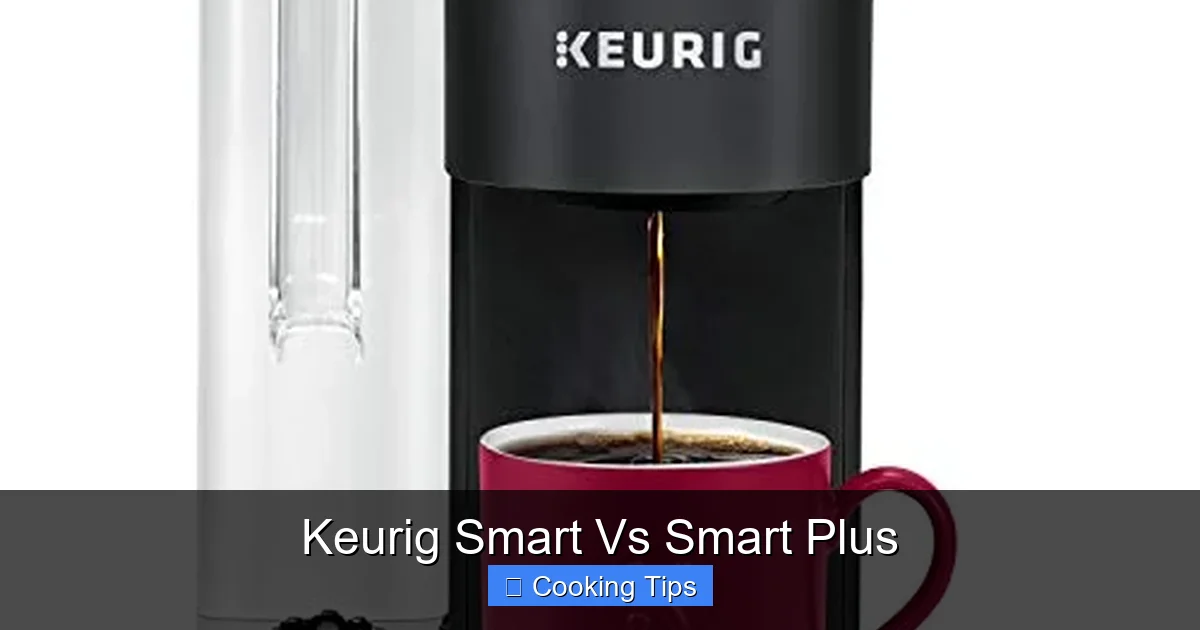
Choosing between the Keurig Smart and Keurig Smart Plus can be tricky, but this guide breaks down all their features to help you decide. We’ll cover connectivity, brewing options, and smart capabilities to ensure you get the perfect brewer for your needs. Understand the nuances and make an informed purchase for your coffee routine.
# Keurig Smart Vs Smart Plus: Your Ultimate Brewing Companion Guide
Are you ready to elevate your morning coffee ritual? Keurig has long been a staple in kitchens worldwide, offering quick and convenient single-serve brewing. But with the introduction of their “smart” brewers, the experience has become even more sophisticated. Two prominent models often spark discussion: the Keurig Smart and the Keurig Smart Plus. Both promise enhanced control and connectivity, but what truly sets them apart?
This comprehensive guide is here to demystify the differences between the Keurig Smart and the Keurig Smart Plus. We’ll dive deep into their features, explore their smart capabilities, and help you pinpoint which one is the perfect fit for your lifestyle and your coffee cravings. By the end of this guide, you’ll have a clear understanding of what each brewer offers, enabling you to make an informed decision that will lead to countless delicious cups of coffee.
Let’s get brewing!
## Understanding the “Smart” in Keurig
Before we compare the specific models, it’s essential to understand what makes a Keurig brewer “smart.” At its core, a smart Keurig brewer connects to your home’s Wi-Fi network. This connection unlocks a world of possibilities, primarily through the Keurig app.
With the Keurig app, you can:
* Remotely brew: Start brewing your coffee from another room or even before you get out of bed.
* Schedule brews: Set a specific time for your coffee to start brewing, ensuring it’s ready when you are.
* Customize brew settings: Adjust brew strength, temperature, and size (on some models) to suit your preferences.
* Receive alerts: Get notifications when your water reservoir is low, when descaling is needed, or when your brew is complete.
* Maintain your brewer: Access troubleshooting tips and maintenance reminders directly through the app.
Now, let’s see how the Keurig Smart and Keurig Smart Plus implement these smart features and what unique advantages each offers.
## Keurig Smart: The Accessible Smart Brewer
The Keurig Smart brewer is designed to bring the convenience of smart technology to a wider audience. It’s an excellent entry point for those who want to dip their toes into the world of connected coffee makers without overwhelming complexity.
### Key Features of the Keurig Smart
The Keurig Smart brewer typically focuses on the core smart functionalities that most users will appreciate:
* Wi-Fi Connectivity: This is the foundation of its smart capabilities, allowing it to connect to your home network.
* Keurig App Integration: You’ll connect your Keurig Smart brewer to the Keurig mobile app (available for iOS and Android). This app is your primary interface for controlling and managing the brewer.
* Remote Brewing: Imagine waking up and simply pressing a button on your phone to start brewing. The Keurig Smart makes this a reality.
* Brew Scheduling: Set your coffee to be ready at precisely the time you want it. Perfect for busy mornings or when you have guests.
* Basic Customization: While not as extensive as the Plus model, the Keurig Smart often allows for adjustments to brew strength and size, offering a degree of personalization.
* Notifications: Stay informed about your brewer’s status, such as when it’s time to add water or when brewing is finished.
### Setting Up Your Keurig Smart
Getting your Keurig Smart up and running is generally a straightforward process.
#### Step 1: Unpacking and Initial Setup
1. Unbox your brewer: Carefully remove all packaging materials.
2. Wash components: Wash the drip tray, K-Cup holder, and any removable water reservoir with warm, soapy water. Rinse and dry thoroughly.
3. Prime the brewer: Before connecting to Wi-Fi, it’s recommended to run a few water-only brews to flush the system.
#### Step 2: Connecting to Wi-Fi
1. Download the Keurig App: Search for “Keurig” in your device’s app store and download the official application.
2. Create or Log In to Your Account: Follow the on-screen prompts to create a new Keurig account or log in if you already have one.
3. Follow In-App Instructions: The Keurig app will guide you through the process of connecting your brewer to your Wi-Fi network. This usually involves putting the brewer into pairing mode and entering your Wi-Fi credentials.
#### Step 3: Brewing Your First Smart Cup
1. Insert a K-Cup Pod: Lift the handle, insert your desired K-Cup pod, and close the handle.
2. Select Brew Size: You can typically select your preferred brew size directly on the brewer or through the app.
3. Initiate Brew: Start the brew cycle either on the brewer’s control panel or remotely via the Keurig app.
### Practical Tips for Keurig Smart Users
* Keep your app updated: Ensure you always have the latest version of the Keurig app installed for the best performance and access to new features.
* Understand your Wi-Fi signal: Ensure your brewer is within a good Wi-Fi range for reliable connectivity.
* Experiment with brew settings: Don’t be afraid to try different brew strengths and sizes to find your perfect cup.
## Keurig Smart Plus: The Premium Smart Experience
The Keurig Smart Plus takes the smart brewing concept a step further, offering a more advanced and potentially more integrated smart home experience. It’s designed for those who want the ultimate in convenience, customization, and perhaps a more seamless integration with their digital lives.
### Key Features of the Keurig Smart Plus
The “Plus” in Smart Plus often signifies enhanced features and capabilities:
* All Features of Keurig Smart: It includes all the Wi-Fi connectivity, app integration, remote brewing, and scheduling found in the standard Smart model.
* Advanced Brew Customization: This is where the Smart Plus often shines. It can offer more precise control over brew temperature, brew strength, and even a wider range of brew sizes, allowing for a highly personalized coffee experience.
* Bluetooth Connectivity: In addition to Wi-Fi, some Smart Plus models may include Bluetooth. This can offer more immediate connectivity, potentially allowing for some functions to be controlled even if your Wi-Fi is temporarily down. It can also facilitate faster pairing and more direct communication with your device.
* Voice Assistant Integration: The Smart Plus models are often designed to integrate with popular voice assistants like Amazon Alexa and Google Assistant. This means you can start brewing or ask about your coffee’s status using just your voice.
* Premium Design: The Smart Plus often boasts a more refined and premium aesthetic, with higher-quality materials, different finishes, and a more modern look that can be a statement piece in any kitchen.
* Potentially More App Features: The Keurig app might offer additional functionalities specifically for the Smart Plus, such as more detailed brewing history, personalized recommendations, or advanced maintenance diagnostics.
### Setting Up Your Keurig Smart Plus
The setup for the Keurig Smart Plus is similar to the Smart model, but with a few extra considerations for its advanced features.
#### Step 1: Unpacking and Initial Setup
This step is identical to the Keurig Smart. Ensure all components are clean and the brewer is primed by running a few water-only cycles.
#### Step 2: Connecting to Wi-Fi and Bluetooth
1. Download and Log In to the Keurig App: As with the Smart model, you’ll need the Keurig app.
2. Follow In-App Instructions: The app will guide you through connecting to your Wi-Fi network.
3. Enable Bluetooth: Ensure Bluetooth is enabled on your smartphone or tablet. The app will likely prompt you to pair your brewer via Bluetooth as well, which can streamline the initial setup and maintain a stable connection.
#### Step 3: Integrating with Voice Assistants (If Applicable)
If your Keurig Smart Plus supports voice assistants:
1. Set up Your Voice Assistant: Ensure your Amazon Echo or Google Home device is set up and connected to your network.
2. Enable the Keurig Skill/Action: In your voice assistant’s app, search for the “Keurig” skill or action and enable it.
3. Link Your Keurig Account: Follow the prompts to link your Keurig account to your voice assistant account. This allows your voice assistant to communicate with your brewer.
4. Discover Devices: Ask your voice assistant to “discover devices.” It should then recognize your Keurig Smart Plus brewer.
#### Step 4: Brewing Your First Advanced Smart Cup
1. Insert a K-Cup Pod: Place your K-Cup pod into the holder.
2. Customize Your Brew: Open the Keurig app. Here, you’ll likely have access to more advanced settings like precise temperature control (e.g., 187°F, 190°F, 195°F), multiple strength options, and a wider array of brew sizes.
3. Initiate Brew: Start brewing via the app, or if set up, use a voice command like, “Alexa, tell Keurig to brew my coffee on strong.”
### Practical Tips for Keurig Smart Plus Users
* Explore the app thoroughly: The Keurig app is where you’ll unlock the full potential of your Smart Plus. Spend time exploring all the customization options and features.
* Experiment with temperature: Coffee enthusiasts know that water temperature significantly impacts flavor. Use the precise temperature controls to find what brings out the best in your favorite K-Cup pods.
* Master voice commands: Practice your voice commands for seamless integration into your daily routine. You can even set up routines with your voice assistant (e.g., “Good morning” routine brews your coffee).
* Check for firmware updates: Like any smart device, your brewer may receive firmware updates to improve performance or add new features. Keep an eye on the app for these notifications.
## Keurig Smart vs. Smart Plus: Direct Comparison
Let’s put these two models side-by-side to highlight their key distinctions:
| Feature | Keurig Smart | Keurig Smart Plus |
| :————————- | :———————————————— | :————————————————– |
| **Core Connectivity** | Wi-Fi | Wi-Fi and potentially Bluetooth |
| **App Control** | Yes (Remote brewing, scheduling, basic customization) | Yes (Advanced customization, more features) |
| **Brew Customization** | Basic (Strength, size) | Advanced (Temperature, multiple strength options, precise sizes) |
| **Voice Assistant** | Generally No | Often Yes (Alexa, Google Assistant) |
| **Design** | Standard Keurig aesthetic | Often more premium materials and modern look |
| **Price Point** | More affordable | Higher price point |
| **Target User** | Entry-level smart brewer users | Coffee enthusiasts, smart home users, advanced customizers |
| **Offline Control (via BT)** | No | Potentially Yes (for certain functions) |
### Which One Is Right for You?
* **Choose the Keurig Smart if:**
* You’re new to smart home appliances and want a simple, user-friendly experience.
* You primarily want the convenience of remote brewing and scheduling.
* Your budget is a significant consideration.
* You don’t feel the need for precise temperature control or voice assistant integration.
* **Choose the Keurig Smart Plus if:**
* You’re a coffee aficionado who wants complete control over your brew’s temperature and strength.
* You want seamless integration with your smart home ecosystem, including voice assistants.
* You appreciate a more premium design and build quality.
* You’re looking for the most advanced features Keurig offers in a single-serve brewer.
* The higher price point is not a deterrent.
## Troubleshooting Common Issues
Even the smartest brewers can sometimes encounter hiccups. Here are a few common issues and how to resolve them:
### Brewer Not Connecting to Wi-Fi
* Check your Wi-Fi password: Ensure you’ve entered it correctly in the Keurig app. Passwords are case-sensitive.
* Router proximity: Move your Keurig brewer closer to your Wi-Fi router, or consider a Wi-Fi extender if your signal is weak.
* Restart your router and brewer: Unplug both your router and your Keurig brewer for about 30 seconds, then plug them back in.
* Network compatibility: Ensure your Wi-Fi network is 2.4GHz. Most smart home devices, including Keurigs, do not support 5GHz networks.
* App permissions: Make sure the Keurig app has the necessary permissions on your smartphone (e.g., location services, local network access).
### App Not Responding or Freezing
* Close and reopen the app: Force close the Keurig app and then relaunch it.
* Restart your phone: Sometimes, a simple phone restart can resolve app issues.
* Update the app: Ensure you have the latest version of the Keurig app installed from your device’s app store.
* Reinstall the app: If problems persist, try uninstalling and then reinstalling the Keurig app.
### Voice Commands Not Working (Smart Plus)
* Check Skill/Action linking: Verify that the Keurig skill or action is still linked to your voice assistant account. You may need to re-link it.
* Ensure brewer is online: Make sure your Keurig brewer is successfully connected to Wi-Fi.
* Clear pronunciation: Speak clearly and directly to your voice assistant.
* Check device name: Ensure your voice assistant recognizes the correct name for your Keurig brewer.
## Conclusion: Your Perfect Brew Awaits
Deciding between the Keurig Smart and Keurig Smart Plus ultimately comes down to your personal preferences and how deeply you want to integrate smart technology into your coffee routine.
The **Keurig Smart** offers a fantastic introduction to the world of connected brewing, providing essential convenience features like remote brewing and scheduling at an accessible price. It’s perfect for those who want a smarter way to make their coffee without needing every single bell and whistle.
The **Keurig Smart Plus**, on the other hand, is for the discerning coffee lover and the smart home enthusiast. With its enhanced customization options, potential Bluetooth connectivity, and voice assistant integration, it offers a premium and deeply personalized brewing experience.
No matter which you choose, both the Keurig Smart and Smart Plus are designed to make your coffee moments more enjoyable, convenient, and tailored to your taste. Consider your daily routine, your desire for customization, and your existing smart home setup, and you’ll confidently select the Keurig brewer that will become your ultimate brewing companion. Happy brewing!
Key Takeaways
- Connectivity Options: Both models offer Wi-Fi connectivity, but the Smart Plus boasts Bluetooth for a broader range of smart interactions and potential offline control.
- Brewing Personalization: The Smart Plus offers more granular control over brew strength, temperature, and even brew size through its app, allowing for a truly customized cup.
- Smart Features: While both offer app control for scheduling and remote brewing, the Smart Plus may integrate with voice assistants more seamlessly and offer more advanced automation features.
- Design and Aesthetics: The Smart Plus often features a more premium design, potentially with different finishes and a slightly more modern aesthetic compared to the standard Smart model.
- Price Point: Generally, the Keurig Smart Plus comes with a higher price tag due to its advanced features and enhanced capabilities.
- Target User: The Keurig Smart is ideal for those new to smart brewers or seeking basic app control, while the Smart Plus caters to coffee enthusiasts who crave ultimate customization and advanced smart home integration.
