

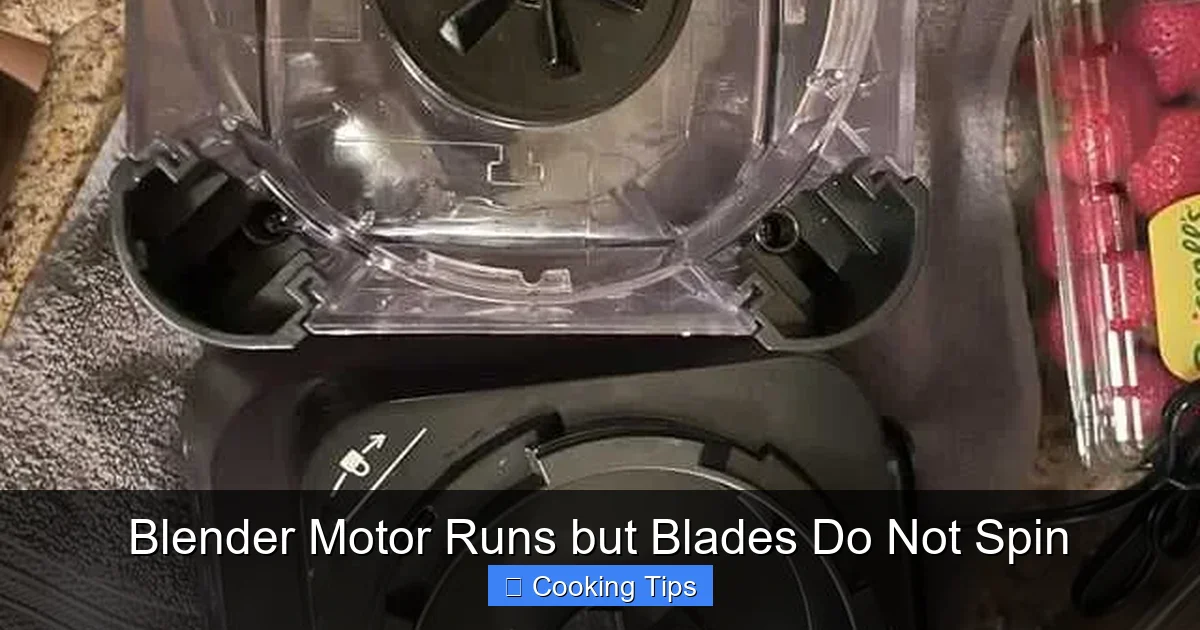
Is your blender motor humming but the blades are stuck? Don’t toss it yet! This guide helps you diagnose and fix a blender that runs but doesn’t spin. We’ll cover common issues from assembly problems to worn-out parts, offering practical, easy-to-follow steps to get your blender back in working order. Save money and reduce waste by learning these simple solutions.
Blender Motor Runs but Blades Do Not Spin
It’s a familiar kitchen scenario: you’re ready to whip up a smoothie, blend some soup, or crush ice, you flick the switch on your blender, and… nothing. The motor hums to life, a reassuring sound of power, but those crucial blades remain stubbornly still. This can be a frustrating experience, especially when you’re in the middle of meal prep or craving a quick treat. Fortunately, in most cases, a blender motor running but blades not spinning isn’t a death knell for your appliance. There are several common culprits, and many are simple to fix yourself.
This guide is designed to help you understand why your blender might be experiencing this issue and provide you with clear, step-by-step instructions to get those blades spinning again. We’ll cover everything from basic checks to more involved troubleshooting, empowering you to tackle this common kitchen problem with confidence. Let’s get your blender back to its powerful best in 2026!
Key Takeaways
- Inspect for Obstructions: The most common reason for jammed blades is food debris or foreign objects preventing rotation.
- Proper Assembly is Crucial: Ensure the blade assembly is correctly screwed onto the jar and the jar is securely locked onto the blender base.
- Check the Gasket/Seal: A damaged or improperly seated gasket can cause the blade assembly to slip, even if the motor is running.
- Worn Drive Socket/Coupler: The small plastic or metal piece that connects the motor to the blade assembly can wear down over time.
- Motor Issues (Less Common): While the motor is running, internal motor issues can sometimes prevent it from engaging the drive mechanism.
- Safety First: Always unplug the blender before attempting any inspection or repair.
Understanding the Blender’s Mechanics
Before diving into troubleshooting, it’s helpful to understand the basic mechanics of how your blender works. The motor in the base generates rotational power. This power is transferred to the blade assembly in the jar, usually through a drive socket on the base and a corresponding coupler on the bottom of the blade assembly. When everything is aligned and functioning correctly, the motor’s rotation causes the blades to spin at high speeds. Any interruption in this chain of power transfer can lead to the issue you’re experiencing.
Step 1: Safety First – Always Unplug
This cannot be stressed enough: always unplug your blender from the power outlet before attempting any inspection or repair. This is crucial for your safety and to prevent accidental activation of the motor, which could cause injury or further damage to the appliance. Make sure the power cord is completely detached.
Step 2: Inspect for Obvious Obstructions
This is the simplest and most common fix. Sometimes, a piece of food, a stray utensil, or even a piece of packaging can get lodged in the blades, preventing them from turning.
H3: Check the Blade Assembly Inside the Jar
Carefully turn the blender jar upside down. Visually inspect the blades. Are there any large chunks of food stuck between them or against the sides of the jar? Try to gently nudge the blades with your finger (again, making sure the blender is unplugged!). If they feel stiff or don’t move freely, try to dislodge any visible obstructions. Sometimes, running water through the assembly can help loosen stubborn bits.

Visual guide about Blender Motor Runs but Blades Do Not Spin
Image source: video.newsserve.net

Visual guide about Blender Motor Runs but Blades Do Not Spin
Image source: sparepartsmarkt.com
H3: Examine the Base of the Jar
Pay close attention to the underside of the blade assembly, where it screws onto the jar. Food debris can sometimes accumulate here and interfere with the mechanism.
Step 3: Verify Proper Assembly
Incorrect assembly is another very common reason for a blender motor to run but not spin the blades.
H3: Ensure the Blade Assembly is Securely Attached
The blade assembly typically screws onto the bottom of the blender jar. Make sure it’s tightened securely. If it’s loose, the motor might be spinning the coupler, but it won’t be able to grip and turn the blades effectively. Many blade assemblies have a rubber gasket or seal; ensure this is properly seated and not damaged, as a compromised seal can prevent a tight connection.

Visual guide about Blender Motor Runs but Blades Do Not Spin
Image source: i.redd.it
H3: Check the Jar-to-Base Connection
Most blenders have a locking mechanism that ensures the jar is correctly positioned and secured on the motor base. If the jar isn’t fully locked into place, the drive socket on the base might not be engaging properly with the blade assembly’s coupler. Refer to your blender’s manual if you’re unsure about the locking procedure for your specific model.
Step 4: Inspect the Drive Socket and Blade Coupler
These are the parts that directly connect the motor to the blades. They are designed to be wear points, meaning they might fail before the motor itself.
H3: Examine the Drive Socket on the Motor Base
With the jar removed and the blender unplugged, look at the drive socket on the motor base. This is usually a plastic or metal piece that the blade coupler engages with. Check for any signs of wear, damage, or missing teeth. If it looks stripped or broken, this is likely your problem.
H3: Inspect the Blade Coupler on the Bottom of the Jar
Flip the blade assembly upside down again. Examine the coupler – the piece that connects to the drive socket. This is often a plastic or rubber component with gear-like teeth or ridges. Look for cracks, missing pieces, or excessive wear. If the coupler appears damaged, it won’t be able to transfer power from the motor.
H3: Test the Fit
Manually try to engage the blade coupler with the drive socket (without the motor running, of course). Does it seem to fit snugly? Is there excessive play? This can give you a clue if the connection is weak.
Step 5: Check the Gasket or Seal
The gasket is a critical component that seals the blade assembly to the jar and also helps to maintain the connection between the blade coupler and the motor’s drive socket.
H3: Examine the Gasket for Damage
Carefully remove the blade assembly from the jar. Inspect the rubber gasket or seal. Is it torn, cracked, or misshapen? A damaged gasket can lead to leaks, but also a poor connection that prevents the blades from spinning. Sometimes, if the gasket is old and hardened, it can lose its grip.
H3: Ensure the Gasket is Properly Seated
When reassembling the blade assembly, make sure the gasket is sitting perfectly flat and evenly within its housing. If it’s crooked or bunched up, it won’t create the necessary seal or connection.
Step 6: Consider Internal Issues (Less Common)
If you’ve gone through the above steps and your blender still isn’t working, there might be an internal issue, though these are less common for the “motor runs, blades don’t spin” problem.
H3: Worn Drive Mechanism within the Motor
While the motor is making noise, it’s possible that the internal gears or shafts connecting the motor to the drive socket have become stripped or broken. This is a more complex repair and often requires professional servicing or replacement of the entire base unit.
H3: Overheating Protection
Some blenders have thermal cut-off switches that prevent the motor from running if it overheats. If the blender has been used continuously for a long period or is struggling with a very thick mixture, it might have shut itself off. Allow it to cool down for 15-30 minutes and try again. However, this usually results in the motor not running at all, not just the blades not spinning.
Troubleshooting Summary
When your blender motor runs but the blades refuse to spin, follow this logical troubleshooting flow:
- Safety First: Unplug the blender.
- Obstructions: Check inside the jar and around the blades for any trapped food or objects.
- Assembly: Ensure the blade assembly is tightly screwed onto the jar and the jar is locked onto the base.
- Wear Points: Inspect the drive socket on the base and the blade coupler on the jar for damage or excessive wear.
- Seals: Check the gasket for damage and ensure it’s properly seated.
When to Repair or Replace
If you’ve identified a specific part that is worn or broken, such as the blade coupler or gasket, you may be able to purchase replacement parts from the manufacturer or third-party suppliers. Many appliance repair shops can also replace these components.
However, if the issue appears to be with the internal drive mechanism of the motor itself, or if your blender is older and repairs would be costly, it might be more economical to replace the entire appliance. As of 2026, modern blenders offer a wide range of features and efficiencies that might make an upgrade worthwhile.
Conclusion
A blender motor that runs but doesn’t spin its blades is a common, often fixable, problem. By systematically checking for obstructions, verifying proper assembly, and inspecting the key connection points like the drive socket and blade coupler, you can often diagnose and resolve the issue yourself. Remember to always prioritize safety by unplugging the appliance before you begin. With a little patience and these troubleshooting steps, you’ll be blending your favorite recipes again in no time, saving yourself money and contributing to a more sustainable kitchen.
