

Experiencing electrical problems with your blender? This comprehensive guide, updated for 2026, will walk you through the common causes and safe troubleshooting steps to get your appliance back in working order. We’ll cover everything from simple checks to identifying potential internal issues, ensuring you can confidently diagnose and, where possible, fix your blender’s electrical quirks. Don’t let a faulty blender disrupt your kitchen routine; learn how to check for electrical issues today.
Checking for Electrical Issues in Your Blender
Is your trusty blender refusing to spin? Does it suddenly cut out mid-smoothie? Electrical issues can be a frustrating roadblock in your culinary adventures. But before you rush out to buy a new one, let’s explore how to check for common electrical problems in your blender. This guide, designed with the latest 2026 kitchen tech in mind, will help you safely identify, diagnose, and hopefully, resolve these issues yourself.
Blenders, while seemingly simple, rely on a complex interplay of electrical components to function. Understanding these parts and how they might fail is the first step to becoming a more empowered home chef. We’ll cover everything from the most basic power checks to more nuanced troubleshooting steps, empowering you to keep your kitchen humming.
Key Takeaways
- Safety First: Always unplug your blender before performing any electrical checks to prevent electric shock.
- Power Source Verification: The most common issue is a lack of power; ensure the outlet is functional and the plug is securely seated.
- Cord and Plug Inspection: Visually inspect the power cord and plug for any signs of damage like fraying, cuts, or melted plastic.
- Overheating and Reset: Many blenders have thermal cut-off switches that engage when the motor overheats; allow it to cool down.
- Interlock Mechanism: Check if the jar and lid are properly seated, as safety interlocks prevent operation if they are not aligned.
- Internal Components (Caution Advised): If external checks fail, the issue might be internal, requiring more advanced troubleshooting or professional repair.
Understanding Common Blender Electrical Problems
Electrical issues in blenders typically manifest in a few key ways:
- No Power at All: The blender is completely unresponsive, no lights, no sounds.
- Intermittent Power: The blender works sometimes but cuts out unexpectedly.
- Motor Not Engaging: The blender has power (lights might come on), but the blades don’t spin.
- Unusual Smells or Sounds: Burning smells, sparking, or loud buzzing can indicate electrical trouble.
Identifying the symptom is crucial for diagnosing the root cause. Let’s start with the simplest checks, working our way towards more involved troubleshooting.
Step 1: The Power Source and Connection – The Foundation of Function
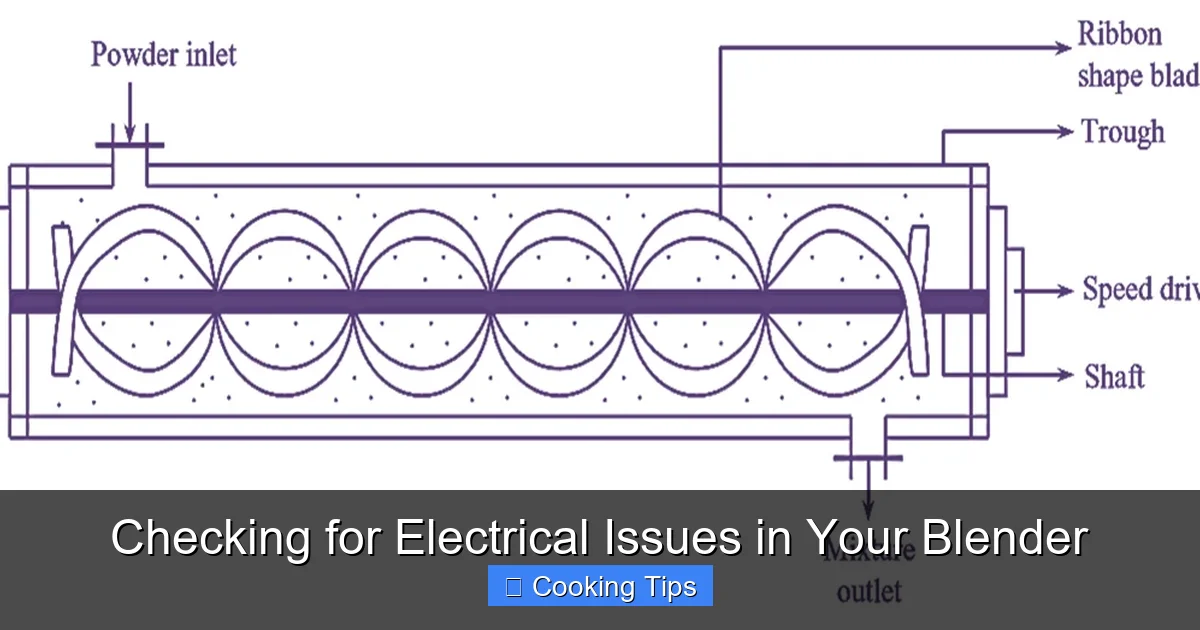
Before you even touch your blender, let’s ensure it’s receiving the power it needs. This might sound obvious, but it’s the most common culprit for a non-functioning appliance.

Visual guide about Checking for Electrical Issues in Your Blender
Image source: thumbs.dreamstime.com
H3: Verify the Outlet
Is the outlet you’re using working? It’s easy to overlook, but faulty outlets are surprisingly common.
- Test with another device: Plug in a different, known-working appliance (like a lamp or phone charger) into the same outlet. If that device doesn’t work either, the problem lies with the outlet or your home’s circuit breaker.
- Check the circuit breaker: Head to your home’s electrical panel. Look for a tripped breaker (it will usually be in a middle position or “off”). Flip it completely off, then back on to reset it. If it trips again immediately, there’s a more significant electrical issue in your home that requires professional attention.
H3: Secure the Plug
Sometimes, the simplest connection can be the weakest.
- Firmly insert the plug: Ensure your blender’s plug is pushed all the way into the electrical outlet. A loose connection can prevent power flow.
- Check for visible damage to the plug: While you’re at it, give the blender’s plug a quick visual inspection. Look for any bent prongs, scorch marks, or signs of melting. If you see any damage, do not use the blender and consider replacing the power cord if possible (though this is a more advanced repair).
Practical Tip: Try a different outlet in your kitchen. If your blender works in another outlet, you’ve successfully isolated the problem to the original outlet.
Step 2: Inspecting the Power Cord – The Lifeline to Your Blender
The power cord is the direct link between your blender and the electrical supply. Any damage here can render it inoperable and, more importantly, dangerous.
Visual guide about Checking for Electrical Issues in Your Blender
Image source: thumbs.dreamstime.com
H3: Visual Inspection for Damage
Carefully examine the entire length of the power cord.
- Look for fraying: Pay close attention to areas where the cord bends, especially near the plug and where it connects to the blender base. Frayed wires are a serious hazard.
- Check for cuts or nicks: Even small cuts can expose the internal wires, leading to shorts or shocks.
- Note any signs of melting or discoloration: This can indicate overheating, often due to a short circuit or excessive strain on the cord.
H3: Flexibility and Integrity
Gently bend the cord at various points.
- Feel for stiffness or breaks: If the cord feels unusually stiff or you detect a break internally, it might be damaged.
When to Stop: If you find any of the aforementioned damage to the power cord, do not use the blender. Continuing to use a damaged cord is a significant safety risk. For most modern blenders, replacing the entire power cord is not a user-serviceable part due to specialized wiring and sealing. In such cases, it’s best to contact the manufacturer or consider a replacement blender.
Step 3: The Blender Jar and Lid – Safety First, Function Second
Most modern blenders are equipped with safety interlock mechanisms. These are designed to prevent the blender from operating unless the jar and lid are correctly assembled.
Visual guide about Checking for Electrical Issues in Your Blender
Image source: thumbs.dreamstime.com
H3: Proper Jar Seating
Ensure the blender jar is firmly and correctly attached to the blender base.
- Twist and click: Many blenders require a slight twist to lock the jar into place. Listen for a ‘click’ that indicates it’s properly secured.
- Check for obstructions: Make sure there are no food particles or debris preventing the jar from sitting flush with the base.
H3: Lid Engagement
The lid also plays a crucial role in the interlock system.
- Secure the lid tightly: The lid needs to be properly seated and locked onto the jar, often with tabs that engage with the jar’s rim.
- Check the lid’s components: If your lid has a removable cap or chute, ensure these are also securely in place.
Troubleshooting Tip: Sometimes, a slightly misaligned jar or lid can fool the interlock. Try removing and re-seating both the jar and lid a couple of times to ensure they are perfectly aligned. Consult your blender’s manual for specific instructions on how to properly attach the jar and lid.
Step 4: The Thermal Cut-Off Switch – Preventing Overheating
Blenders, especially those designed for tough blending tasks, generate a lot of heat. To prevent motor damage from overheating, many models include a thermal cut-off switch. This is a safety feature that automatically shuts off the blender if it gets too hot.
H3: Recognizing the Signs
If your blender suddenly stops working during use, especially after a prolonged period of blending or if you were blending particularly tough ingredients, it might have tripped its thermal cut-off.
H3: The Cool-Down Period
The solution is simple: patience.
- Unplug the blender: For safety and to allow for effective cooling, unplug the appliance.
- Let it rest: Allow the blender to cool down completely. This can take anywhere from 15 to 30 minutes, or even longer depending on how hot it got.
- Ensure ventilation: Make sure the blender’s motor housing has adequate ventilation while it cools. Don’t place it in an enclosed space.
H3: Trying Again
Once the blender is completely cool, plug it back in and try operating it on a lower setting for a short duration. If it cuts out again, there might be a more serious underlying issue with the motor or the thermal switch itself, or you may be pushing the blender beyond its intended capacity.
Pro Tip: Avoid blending for excessively long periods, and allow the motor to rest periodically, especially when tackling thick or dense ingredients. This proactive approach can prevent overheating and extend the life of your blender.
Step 5: The Control Panel and Buttons – Responsive or Resting?
The buttons and control panel are your interface with the blender’s motor. If these are not functioning correctly, it can prevent operation.
H3: Button Responsiveness
Press each button firmly.
- Listen for a click: Some buttons have a tactile click when pressed.
- Check for sticking: Ensure buttons aren’t stuck or jammed, preventing them from being fully depressed.
H3: Control Panel Damage
Visually inspect the control panel.
- Look for cracks or spills: Liquid damage or cracks on the control panel can interfere with its electrical connections. If spills have occurred, ensure the unit is unplugged and completely dry before attempting to use it again.
Troubleshooting Tip: If you suspect a sticky button, try gently cleaning around it with a damp cloth (ensure the blender is unplugged!). For modern touch-sensitive controls, make sure your fingers are dry and clean when attempting to operate them. If the control panel appears physically damaged, it might require professional repair.
Step 6: Internal Electrical Components – Proceed with Caution
If you’ve gone through all the external checks and your blender still isn’t working, the issue might be internal. This is where things get more complex, and safety becomes paramount. For most consumers, attempting internal repairs can void warranties and poses a significant risk of electric shock or further damage.
H3: Motor Issues
The motor is the heart of your blender.
- Signs of failure: Besides not spinning, a failing motor might emit a burning smell, make grinding noises, or show signs of overheating even after cooling.
- Internal Wiring: Loose or burnt internal wiring connecting to the motor can also cause issues.
H3: The Drive Coupling
This is the part that connects the motor shaft to the blender jar’s blade assembly.
- Wear and tear: Over time, the drive coupling can wear out or break. If the motor sounds like it’s running but the blades aren’t turning, this is a strong possibility.
- Inspection: To inspect this, you typically need to remove the blade assembly from the jar (often by unscrewing the bottom). You can then visually check the coupling on both the blade assembly and the motor shaft for damage or missing teeth.
When to Call a Professional or Replace: Attempting to diagnose or repair internal motor issues, burnt wiring, or complex internal components is generally not recommended for the average user. If you’re not experienced with electronics repair, it’s best to:
- Consult your blender’s manual: It may have specific troubleshooting steps for internal issues.
- Contact the manufacturer: If your blender is under warranty, reach out to the manufacturer for repair or replacement options.
- Seek professional repair: For out-of-warranty blenders, a qualified appliance repair technician may be able to help, though the cost of repair might be comparable to a new blender.
- Consider replacement: If the blender is old or the repair cost is high, purchasing a new blender might be the most practical and cost-effective solution.
Troubleshooting Summary Table
Here’s a quick reference for common electrical issues and their potential causes:
| Symptom | Possible Electrical Cause | Action to Take |
|---|---|---|
| Blender has no power at all | Faulty outlet, tripped breaker, damaged power cord, loose plug | Test outlet, check breaker, inspect cord, ensure plug is secure |
| Blender cuts out mid-use | Tripped thermal cut-off switch, overheating motor, internal short circuit | Unplug and let cool, check for obstructions, try again on lower setting |
| Motor runs but blades don’t spin | Damaged or worn drive coupling, obstruction in blade assembly | Check jar seating and lid, inspect drive coupling (with caution) |
| Unusual burning smell or sparks | Internal motor issue, burnt wiring, damaged control board | Unplug immediately, do not use, contact manufacturer or professional |
| Buttons are unresponsive | Faulty control panel, liquid damage to control board, stuck button | Ensure clean and dry fingers, check for physical damage, clean gently |
Conclusion
Checking for electrical issues in your blender doesn’t have to be a daunting task. By systematically working through these steps, starting with the simplest and safest checks, you can often pinpoint the problem and, in many cases, get your blender back to its full blending potential. Remember, safety is always the top priority. Always unplug your appliance before performing any physical inspection or cleaning. If you encounter issues beyond basic troubleshooting, don’t hesitate to consult your user manual, contact the manufacturer, or seek professional help. A little troubleshooting can save you money and keep your kitchen efficient!
