

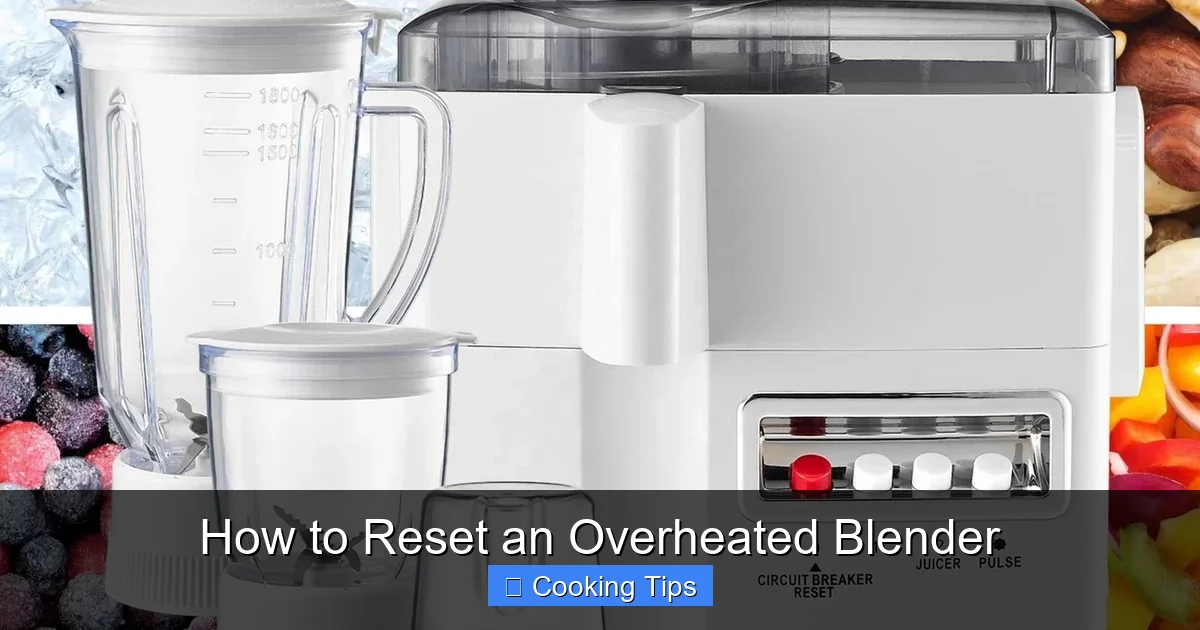
Is your blender motor overheating? Don’t worry! This guide explains the tell-tale signs of an overheated blender and provides a clear, step-by-step process to safely reset it. We’ll cover everything from unplugging the appliance to allowing it to cool down, ensuring your blender is ready for its next use. Follow these simple instructions to prevent damage and keep your blending adventures smooth.
How to Reset an Overheated Blender
Blenders are fantastic kitchen companions. They help us whip up smoothies, create creamy soups, and make delicious sauces in a flash. But what happens when your trusty blender suddenly stops working, emitting a strange smell or even a puff of smoke? Chances are, your blender has overheated. This isn’t as scary as it sounds, and more often than not, it’s a problem you can easily fix yourself.
This comprehensive guide will walk you through everything you need to know about resetting an overheated blender. We’ll cover the signs to look out for, the crucial safety steps to take, and a clear, step-by-step process to get your blender back in working order. Plus, we’ll offer some practical tips to prevent overheating in the future. So, let’s dive in and get your blender ready for its next culinary mission!
Key Takeaways
- Identify Overheating Signs: Learn to recognize common indicators like a burning smell, smoke, or the motor shutting off unexpectedly.
- Prioritize Safety: Always unplug the blender before attempting any reset or troubleshooting steps to avoid electrical shock or injury.
- Allow Sufficient Cooling Time: Give the blender motor ample time to cool down completely, which is crucial for preventing further damage.
- Check for Blockages: Ensure the blades and motor housing are free from obstructions that could be causing the motor to strain.
- Understand Load Capacity: Avoid overloading your blender; process ingredients in smaller batches to reduce strain on the motor.
- Regular Maintenance is Key: Clean your blender thoroughly after each use and check for any visible wear and tear on the motor and blades.
Understanding Blender Overheating
Before we get to the “how-to” part, it’s helpful to understand why blenders overheat. Like any motor-powered appliance, a blender’s motor generates heat during operation. This is perfectly normal. However, when the motor works harder than it’s designed to, or when ventilation is poor, the heat can build up to unsafe levels. This can happen for a variety of reasons, including:
- Overloading the blender: Trying to blend too many ingredients at once, especially tough or frozen items, puts a significant strain on the motor.
- Blending for too long: Extended blending times without breaks can cause the motor to overheat.
- Blocked blades or motor: Obstructions in the blade assembly or vents can prevent the motor from cooling effectively.
- Dull blades: Dull blades require the motor to work harder, leading to increased heat.
- Motor issues: In some cases, internal motor problems can cause it to overheat more easily.
When a blender overheats, it usually has built-in safety mechanisms that will shut off the motor to prevent permanent damage. Recognizing these signs is the first step to a successful reset.
Signs Your Blender Has Overheated
How can you tell if your blender is just tired or genuinely overheated? Here are the most common signs to watch out for:
The Burning Smell
This is often the most obvious indicator. You might notice a distinct “burning plastic” or “electrical” smell coming from the blender base. This smell is the motor overheating. If you detect this smell, stop blending immediately.
Smoke or Steam
In more severe cases of overheating, you might see a small amount of smoke or steam coming from the motor housing. If this happens, unplug the blender right away and do not attempt to use it until it has cooled down completely.
The Motor Shuts Off Abruptly
Many blenders have a thermal overload protector. This is a safety feature designed to shut off the motor when it gets too hot. If your blender suddenly stops mid-blend, it’s likely this protection has kicked in.
Unusual Noises
While a blender naturally makes noise, a sudden increase in the pitch or a grinding sound, coupled with the motor struggling, could indicate an overheating issue, possibly due to strain.
The Blender Feels Hot to the Touch
After it’s stopped working, carefully feel the base of the blender. If it feels unusually hot, this is another sign of overheating.
Step-by-Step Guide to Resetting Your Overheated Blender
Once you’ve identified that your blender has overheated, it’s time to take action. The process is simple and focuses on safety and allowing the appliance to recover.
Step 1: Stop Blending and Unplug Immediately
This is the most critical first step. As soon as you notice any signs of overheating, stop the blender. Do not try to push through it or continue blending. Then, locate the power cord and unplug the blender from the wall socket.
Why is this important? Unplugging the appliance is crucial for your safety to prevent any risk of electrical shock. It also stops the motor from continuing to generate heat, allowing it to begin cooling down.

Visual guide about How to Reset an Overheated Blender
Image source: kitchenseer.com
Step 2: Remove the Blender Jar
Carefully detach the blender jar from the motor base. You might want to empty any contents from the jar if it’s safe to do so, especially if the blender stopped abruptly.
Tip: If the jar is difficult to remove because it’s sealed tightly or feels warm, try to be gentle. Forcing it could damage the locking mechanism.
Step 3: Inspect for Blockages
With the jar removed, take a close look at the blade assembly and the motor housing. Check for any ingredients that might be stuck around the blades or in any vents. Sometimes, a large chunk of ice or a tough ingredient can jam the blades, forcing the motor to work overtime and overheat.
How to inspect:
- Check the blades: Ensure they can spin freely. If they are stuck, try to dislodge the offending ingredient carefully. You might need a utensil like a chopstick or a rubber spatula. Never use your fingers near the blades.
- Examine the vents: Many blender bases have small vents to help with cooling. Make sure these are not blocked by dust, food debris, or other obstructions. You can use a soft brush or a vacuum cleaner with a brush attachment to gently clean them.
Step 4: Allow the Blender to Cool Down Completely
This is arguably the most important step in resetting an overheated blender. The motor needs time to cool down to a safe operating temperature. This typically takes anywhere from 30 minutes to a couple of hours, depending on how hot it got.
Where to let it cool: Place the blender base in a well-ventilated area. Avoid covering it or placing it in a confined space, as this will trap heat and slow down the cooling process.
Patience is key: Resist the urge to plug it back in and try it too soon. If you try to use it while it’s still too hot, you risk causing further damage to the motor, potentially leading to a permanent breakdown.
Step 5: Clean the Blender
While you’re waiting for the blender to cool, it’s a good time to give it a thorough cleaning. Remove any lingering food particles from the jar, lid, and blade assembly.
Cleaning tips:
- For the jar and blades: Most blender jars and blades are dishwasher safe. However, always check your manufacturer’s manual to be sure. If handwashing, use warm, soapy water. For stubborn residue, you can fill the jar with warm water, add a drop of dish soap, and blend for a few seconds. Rinse thoroughly.
- For the motor base: Never immerse the motor base in water. Wipe it down with a damp cloth. Ensure any liquid spills are cleaned up immediately.
Step 6: Test the Blender
Once you are confident that the blender has cooled down completely (you can test the base; it should feel cool to the touch), it’s time to test it.
Testing procedure:
- Plug the blender back into the power outlet.
- Assemble the jar and lid securely.
- Start with a simple, light task. Blend a small amount of liquid, like water or juice, on a low setting for a short period (e.g., 15-30 seconds).
- Pay close attention to any unusual smells, noises, or if the motor shuts off again.
If the blender runs smoothly and without issue, congratulations! You’ve successfully reset your overheated blender. If the problem persists, or if it overheats again quickly, it might indicate a more serious underlying issue.
Troubleshooting Persistent Overheating
If your blender continues to overheat after following the reset steps, or if it overheats again very quickly, don’t despair. Here are some common troubleshooting steps to consider:
Is the Blender Designed for the Task?
Some blenders are designed for basic tasks like making smoothies with soft fruits and liquids. They might not be equipped to handle tough ingredients like large frozen fruits, ice cubes, nuts, or very fibrous vegetables for extended periods. If you’re consistently trying to blend hard items or for long durations, your blender might be under-powered for the job.
Solution: Consider purchasing a more powerful blender designed for heavy-duty tasks if this is a frequent occurrence. For your current blender, process tough ingredients in smaller batches and alternate with softer items.
Are the Blades Dull?
Dull blender blades can make the motor work much harder. Imagine trying to cut through thick paper with dull scissors versus sharp ones – it takes more effort. The same principle applies to your blender.
Solution: If your blender is several years old and you suspect the blades are dull, it might be time to replace the blade assembly. Check your blender’s manual or the manufacturer’s website for replacement parts.
Is the Motor Wearing Out?
Like any appliance, blenders have a lifespan. If your blender is old and has been used frequently, the motor might simply be wearing out. This can lead to it overheating more easily.
Solution: Unfortunately, a worn-out motor is often not repairable at home. If your blender is still under warranty, contact the manufacturer. Otherwise, it might be time to consider replacing the appliance.
Ventilation Issues
Even after cleaning, if the blender base design has very small or inadequate vents, it might be prone to overheating.
Solution: Ensure you are using the blender on a flat, stable surface that allows air to circulate around the base. Avoid placing it directly against a wall or other appliances. If you notice the vents seem particularly small, be extra mindful of not overworking the motor.
Preventing Your Blender from Overheating in the Future
The best way to deal with an overheated blender is to prevent it from happening in the first place. Here are some preventative measures you can take:
- Don’t Overload: Always respect your blender’s capacity. If you have a lot of ingredients, blend them in multiple smaller batches.
- Cut Ingredients into Smaller Pieces: Especially for hard or frozen items, cutting them into smaller, manageable pieces will make blending easier on the motor.
- Add Enough Liquid: Liquid helps ingredients move freely around the blades, reducing strain. Make sure there’s enough liquid in your recipe.
- Don’t Over-Blend: Blend only until you achieve the desired consistency. Over-blending for extended periods generates unnecessary heat.
- Take Breaks: If you’re making a large batch or blending for longer than usual, give the motor a short break every minute or so.
- Keep Vents Clear: Regularly check and clean the vents on the motor base to ensure proper air circulation.
- Check Blade Sharpness: If you notice your blender struggling, consider if the blades might need sharpening or replacing.
- Use the Right Settings: Use the appropriate speed settings for your ingredients. Start on a lower speed and gradually increase if needed.
By incorporating these practices into your blending routine, you can significantly extend the life of your blender and avoid the frustration of an overheated appliance.
Conclusion
An overheated blender is a common issue that, fortunately, can often be resolved with a simple reset. By understanding the warning signs, prioritizing safety, and patiently allowing your blender to cool down, you can typically get it back in working order. Remember to always unplug the appliance, inspect for blockages, and give it ample time to rest.
Regular maintenance, mindful usage, and avoiding overloading will go a long way in preventing future overheating incidents. So, the next time your blender decides to take an unexpected break, you’ll know exactly what to do. Happy blending!
