

Is your grinder stopping mid-operation? This comprehensive guide will help you diagnose and resolve common problems causing your grinder to shut off unexpectedly. We’ll cover everything from simple issues like overheating and overfilling to more complex mechanical problems, providing step-by-step solutions to get your grinder back in working order.
Grinder Keeps Stopping During Operation
Few things are as frustrating in the kitchen as a grinder that decides to take an early break, right in the middle of processing your ingredients. Whether it’s a coffee grinder, a spice grinder, or a food processor that you use for grinding, a sudden stop can derail your meal prep or morning routine. But don’t despair! More often than not, the reasons your grinder keeps stopping during operation are fixable. This guide will walk you through common causes and provide practical solutions to get your grinder back to its powerful, efficient self.
We’ll cover everything from simple user errors to potential mechanical issues. By the end of this guide, you’ll be equipped to diagnose why your grinder stops and how to fix it, saving you time and the expense of buying a new one. Let’s get your grinder grinding again!
Key Takeaways
- Overheating is a common culprit: Allow your grinder ample cool-down time between uses, especially for tougher tasks.
- Don’t overfill your grinder: Packing too many ingredients can strain the motor and cause it to stop.
- Check for blockages: Ensure no large food particles or foreign objects are obstructing the grinding mechanism.
- Motor overload protection: Many grinders have a safety feature that shuts them off to prevent damage; this might be the reason it stops.
- Power supply issues: Verify that the grinder is properly plugged in and that the outlet is functioning correctly.
- Worn-out parts can cause problems: Over time, blades or other components might become dull or damaged, leading to increased resistance and motor stoppage.
Understanding Why Grinders Stop
Grinders are designed to perform a specific task: to break down ingredients into finer particles. They achieve this through a motor that powers rotating blades or grinding burrs. When a grinder stops unexpectedly, it’s usually because something is interfering with this process or triggering a safety mechanism. Understanding these fundamental principles will help you pinpoint the problem more effectively.
Common Culprits and How to Fix Them
Let’s dive into the most frequent reasons your grinder might be giving you trouble and the steps you can take to resolve them.
Visual guide about Grinder Keeps Stopping During Operation
Image source: i0.wp.com
1. Overheating: The Silent Killer of Grinder Performance
One of the most common reasons for a grinder to stop is overheating. Grinder motors generate heat as they work. If you push them too hard or for too long, this heat can build up to a point where the motor’s internal thermal protection kicks in, shutting the unit down to prevent damage. This is especially true for high-powered grinding tasks or when grinding dense ingredients.
Visual guide about Grinder Keeps Stopping During Operation
Image source: i0.wp.com
Symptoms of Overheating
- The grinder stops, and you might notice a warm or hot smell.
- It stops after a short period of continuous use.
- The motor feels excessively hot to the touch (be cautious when checking!).
Solutions for Overheating
- Give it a Break: The simplest solution is to allow your grinder adequate cool-down time. If it stops, unplug it and let it sit for at least 15-30 minutes, or until it feels cool to the touch. Refer to your grinder’s manual for recommended run times and rest periods.
- Grind in Batches: For larger quantities or tough ingredients, grind in smaller batches. This reduces the strain on the motor and allows heat to dissipate more effectively.
- Pulse Instead of Continuous Grinding: Many grinders, especially coffee grinders, perform better with a pulsing action. This involves short bursts of power rather than continuous running, which generates less heat and provides more control over the grind consistency.
- Check Air Vents: Ensure that the grinder’s air vents are not blocked by dust, debris, or countertop placement. Clean them regularly with a soft brush or compressed air.
2. Overfilling: Too Much of a Good Thing
Trying to grind too many ingredients at once can overload the motor and the grinding mechanism. When the grinder is packed too tightly, the ingredients create excessive resistance, making it difficult for the blades or burrs to spin freely. This strain can lead to the motor stopping, either due to the overload itself or to trigger its safety shut-off.
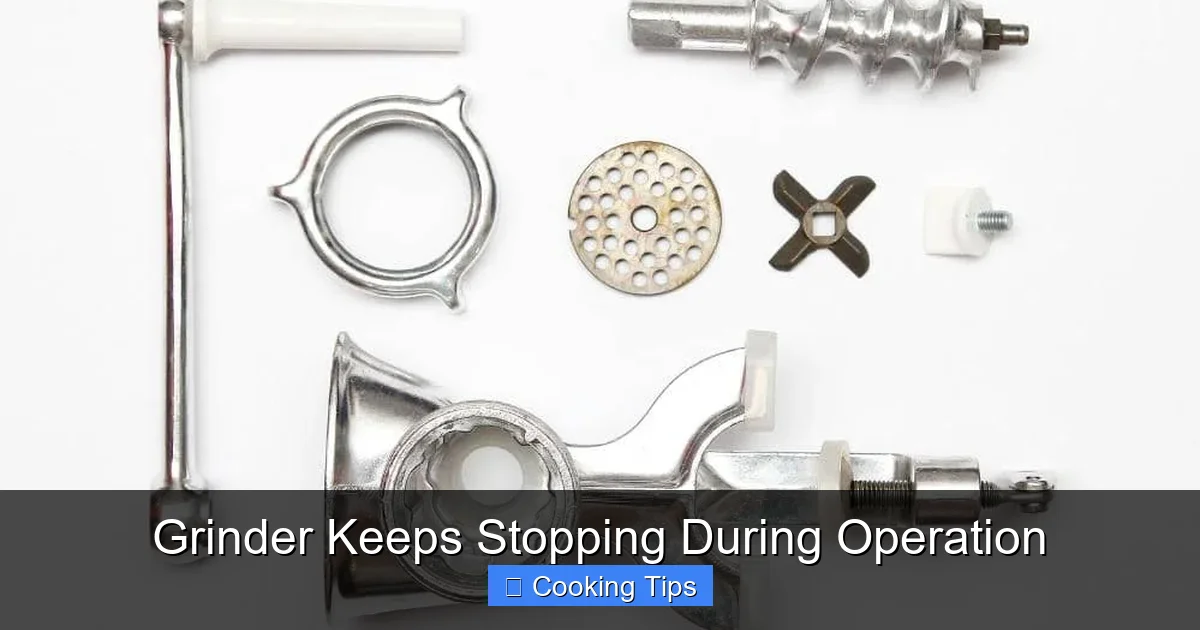
Visual guide about Grinder Keeps Stopping During Operation
Image source: becausefoodislife.com
Symptoms of Overfilling
- The grinder struggles to start or slows down significantly immediately after starting.
- The motor makes a straining or groaning sound.
- Ingredients are not being ground evenly or at all.
Solutions for Overfilling
- Reduce the Load: The most direct solution is to grind fewer ingredients at a time. Check your grinder’s manual for its recommended capacity.
- Cut Ingredients into Smaller Pieces: For larger or tougher ingredients, breaking them down into smaller pieces before grinding can significantly reduce the resistance.
- Layer Ingredients Appropriately: If your grinder has multiple types of ingredients, try to layer them so they don’t clump together and create a dense mass.
3. Blockages and Obstructions: Something’s Getting in the Way
Foreign objects or large, unground chunks of food can get lodged in the grinding chamber, preventing the blades or burrs from turning. This obstruction creates significant resistance, leading to the motor stopping. This is particularly common with fibrous ingredients or when a foreign object (like a small stone in coffee beans) accidentally enters the grinder.
Symptoms of Blockages
- The grinder makes a loud clunking or grinding noise before stopping.
- The blades or burrs are visibly stuck.
- The grinder stops abruptly without a prior straining sound.
Solutions for Blockages
Safety First: Always unplug the grinder before attempting to clear any obstructions.
- Inspect the Grinding Chamber: Carefully open the grinder (following your manufacturer’s instructions) and visually inspect the grinding chamber and around the blades or burrs for any lodged particles or foreign objects.
- Remove Obstructions: Use a small brush, tweezers, or a wooden skewer to gently remove any blockages. Be careful not to damage the blades or the internal mechanisms.
- Clean Thoroughly: After removing the obstruction, clean the grinding chamber and blades to ensure no residue remains.
- Check for Damaged Blades/Burrs: While you’re inspecting, check if any blades are bent, chipped, or if the burrs are damaged. Damaged components can also cause increased resistance.
4. Motor Overload Protection: A Feature, Not a Flaw
As mentioned earlier, most electric grinders are equipped with a motor overload protector. This is a crucial safety feature designed to prevent the motor from burning out. If the motor encounters too much resistance, draws too much current, or overheats, this protector will trip, cutting power to the motor.
Symptoms of Motor Overload Protection Tripping
- The grinder stops suddenly.
- There might be a slight click sound before it stops.
- The grinder will not restart until the protector resets. This usually happens after the motor has cooled down and any obstruction has been removed.
Solutions for Motor Overload Protection
- Allow Cool-Down Time: The primary solution is to let the grinder cool down completely. This allows the overload protector to reset.
- Address the Cause of Overload: While it cools, investigate what might have caused the overload. Was the grinder overfilled? Are there obstructions? Was it running for too long?
- Consult the Manual: Your grinder’s manual will explain its specific overload protection mechanism and how to reset it if necessary.
5. Power Supply Issues: The Basics Matter
Sometimes, the simplest explanation is the correct one. Your grinder might be stopping because it’s not receiving consistent or adequate power.
Symptoms of Power Supply Issues
- The grinder stops and starts intermittently.
- It doesn’t start at all.
- The motor sounds weak or sluggish.
Solutions for Power Supply Issues
- Check the Plug and Outlet: Ensure the grinder’s plug is firmly seated in a functioning electrical outlet. Try plugging another small appliance into the same outlet to verify it’s working.
- Inspect the Power Cord: Look for any visible damage, cuts, or frayed wires on the power cord. If the cord is damaged, the grinder should not be used and may need repair or replacement.
- Test a Different Outlet: Try plugging the grinder into a different outlet in your home to rule out a problem with the original outlet or circuit breaker.
- Avoid Extension Cords (If Possible): While sometimes necessary, extension cords can sometimes provide insufficient power, especially if they are long or thin. If you must use one, ensure it’s rated for the power draw of your grinder.
6. Worn-Out or Damaged Parts: Age and Wear
Like any mechanical appliance, grinders can experience wear and tear over time. Dull blades, worn-out bearings, or damaged internal components can increase the friction and resistance, leading the motor to struggle and eventually stop.
Symptoms of Worn-Out Parts
- The grinder becomes progressively noisier.
- The grinding quality deteriorates significantly.
- The motor seems to struggle more than it used to.
- The grinder stops more frequently even with light loads.
Solutions for Worn-Out Parts
- Inspect Blades/Burrs: For blade grinders, check if the blades are sharp and intact. For burr grinders, inspect the burrs for wear or damage.
- Check Bearings: If you hear unusual squeaking or grinding sounds that aren’t related to the ingredients, the motor bearings might be worn.
- Replaceable Parts: Some grinders have replaceable parts like blades or grinding burrs. Consult your manual to see if your model allows for such replacements.
- Professional Repair or Replacement: If internal components are damaged or worn beyond repair, you may need to seek professional servicing or consider purchasing a new grinder.
Troubleshooting Specific Grinder Types
While the general principles apply to most grinders, some issues are more specific to certain types:
Coffee Grinders
- Burr vs. Blade: Burr grinders are generally more durable but can get clogged with fine coffee dust. Blade grinders can overheat more easily and are less precise.
- Cleaning is Crucial: Coffee oils and fine grounds can build up, causing resistance. Regular cleaning is essential for both types.
Spice Grinders
- Dense Spices: Grinding very hard spices like whole peppercorns or dried chilies can put a lot of strain on the motor. Grind in small batches.
- Moisture: Ensure spices are completely dry before grinding, as moisture can lead to clumping and blockages.
Food Processors (with Grinding Attachments/Functions)
- Blade Assembly: Ensure the blade assembly is correctly locked into place.
- Motor Housing: Some food processors have safety interlocks on the motor housing that prevent operation if not properly assembled.
Maintenance Tips to Prevent Future Issues
Proactive maintenance is the best way to avoid your grinder stopping unexpectedly.
- Clean After Every Use: This is the golden rule. Remove all residue, oils, and grounds promptly.
- Dry Thoroughly: Ensure all parts are completely dry before reassembling or storing.
- Store Properly: Keep your grinder in a clean, dry place, away from moisture and excessive dust.
- Follow Manufacturer Guidelines: Always refer to your grinder’s instruction manual for specific care and usage recommendations.
- Inspect Regularly: Periodically check for signs of wear and tear on blades, cords, and other components.
Conclusion
It’s disheartening when your grinder stops mid-task, but most issues are preventable and fixable. By understanding the common causes like overheating, overfilling, blockages, and power supply problems, you can systematically troubleshoot and resolve the issue. Remember to prioritize safety by unplugging the unit before any inspection or cleaning. Regular maintenance and mindful usage will not only keep your grinder running smoothly but also extend its lifespan. So, the next time your grinder pauses unexpectedly, don’t panic – consult this guide, and get back to enjoying perfectly ground ingredients!
